Foods you use often.
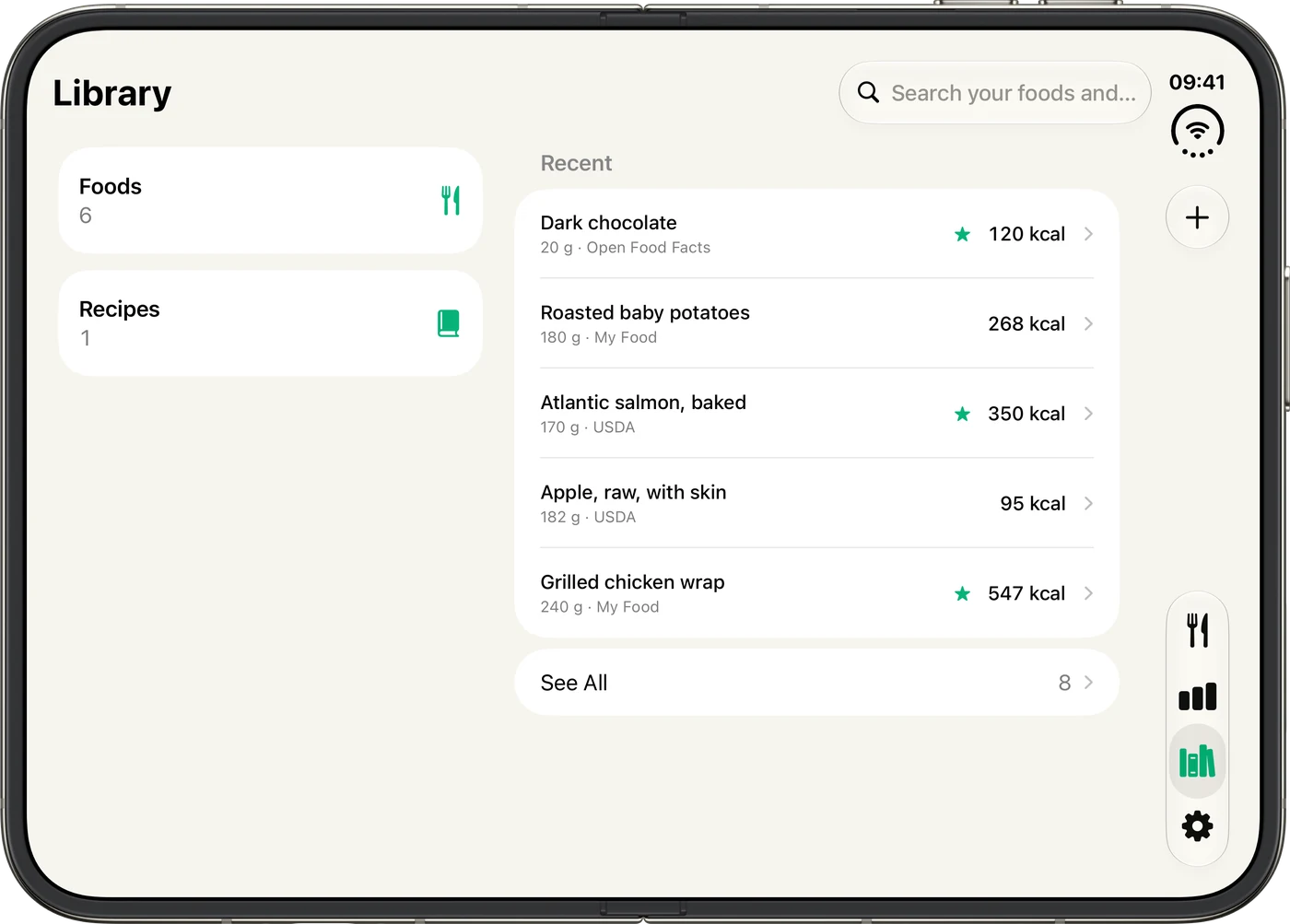
Keep favorites and recipes in your Library, and adjust serving sizes to match what you ate.
- Adjust portions and recipe ingredients within a logged meal
- Copy or move whole meals between days
- Use Quick Add for just the essentials
 Calio
CalioTrack meals, calories and macros. Search your foods, scan a label or use Calio AI to log from a photo, text or voice.
Free to start. No account or ads.
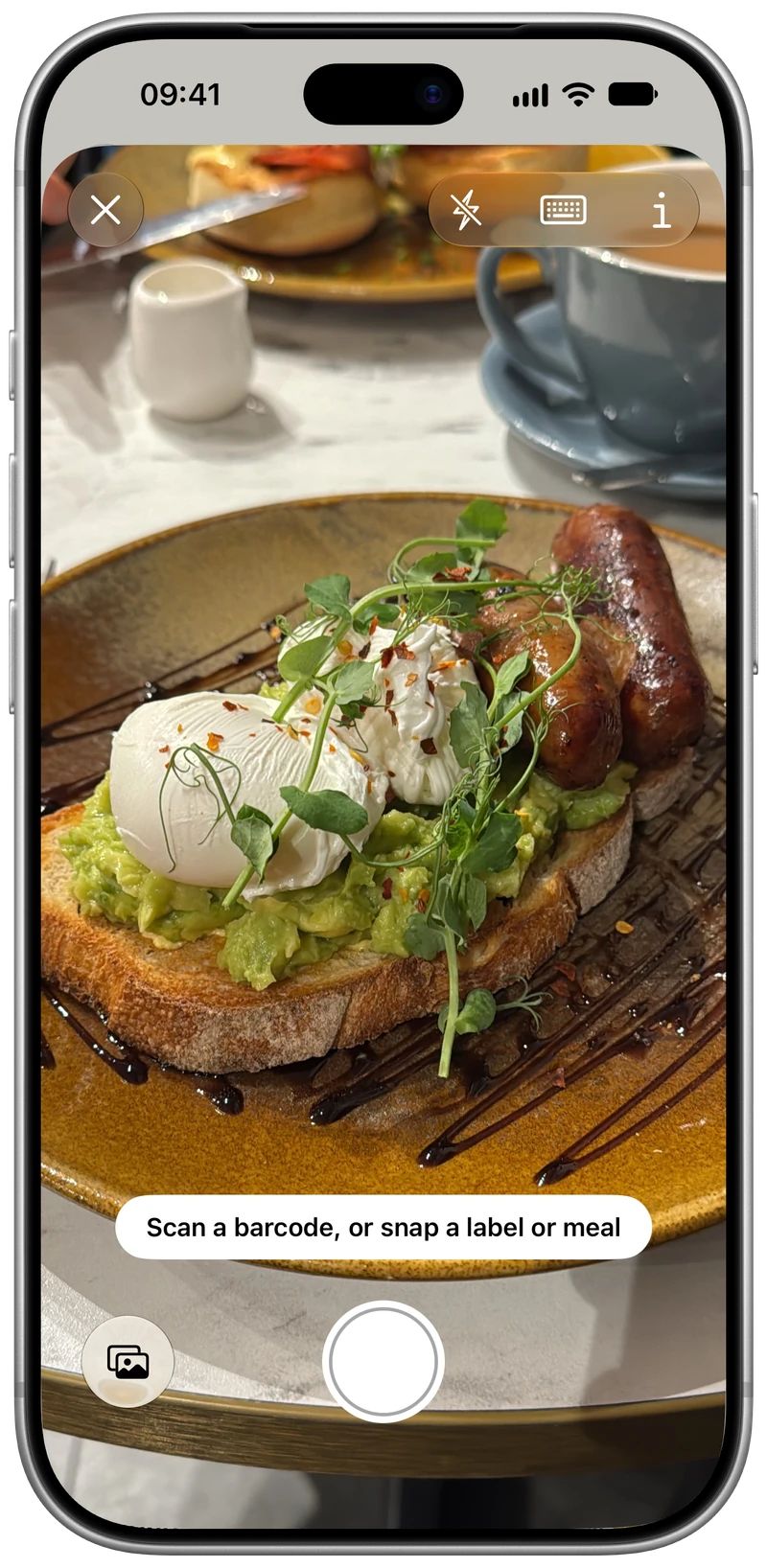
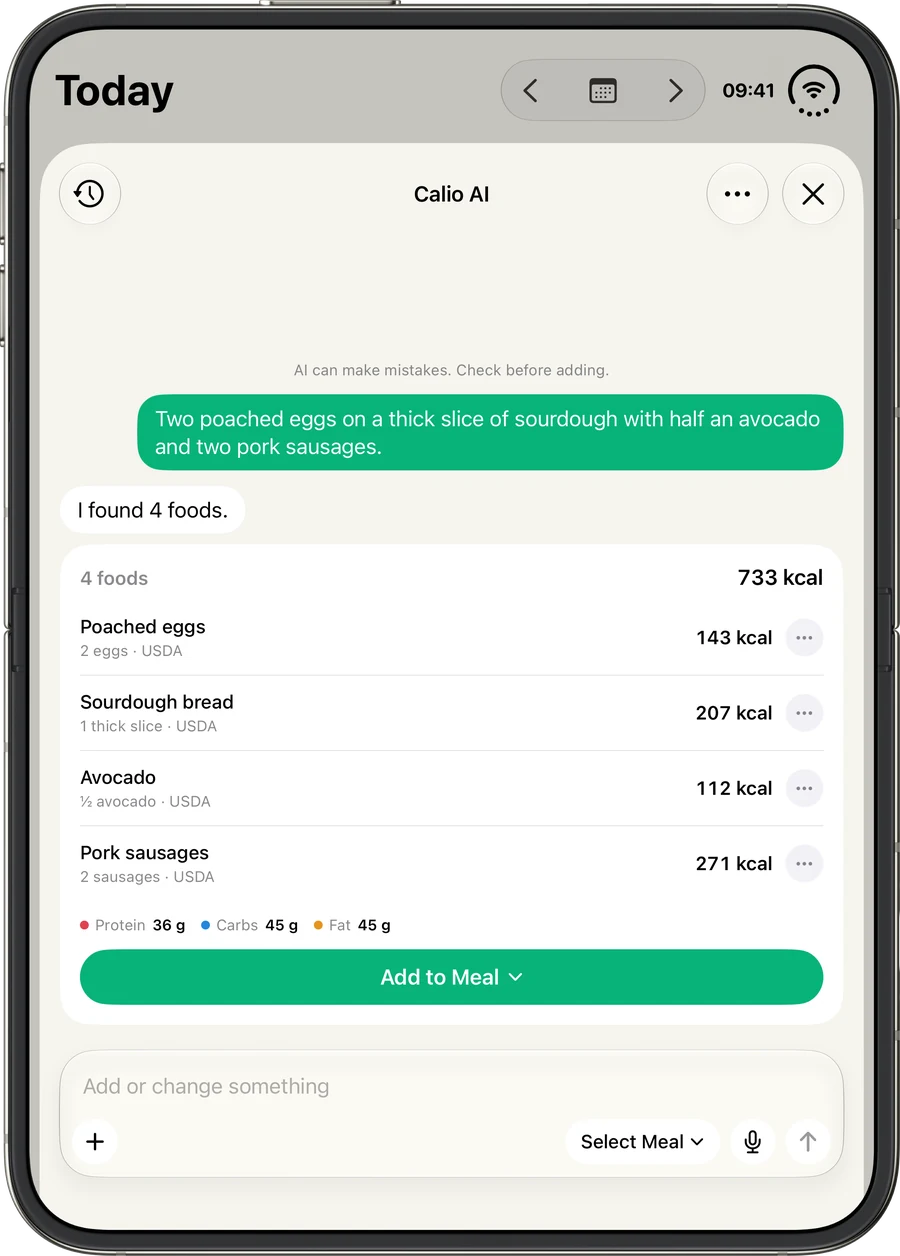
Take a photo, describe what you ate or dictate a meal. Calio AI suggests foods and portions, and you can keep chatting to adjust them.
Review the matches before adding them to your diary. Nutrition comes from Calio’s food catalog, with clearly labeled estimates when there isn’t a match. AI can make mistakes, so check the suggestions.
Try three chats free. Calio Pro includes AI meal logging within fair-use limits.
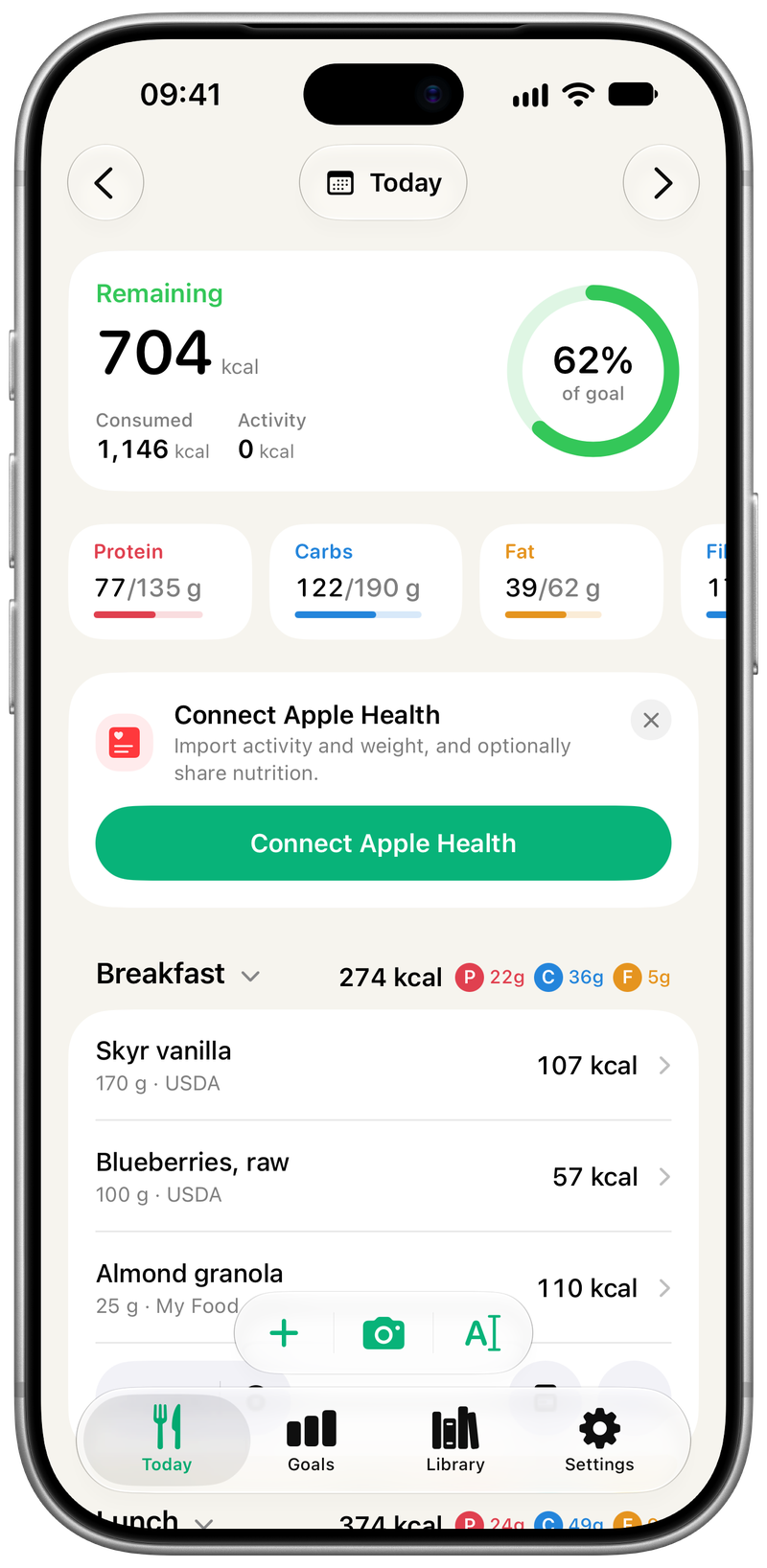
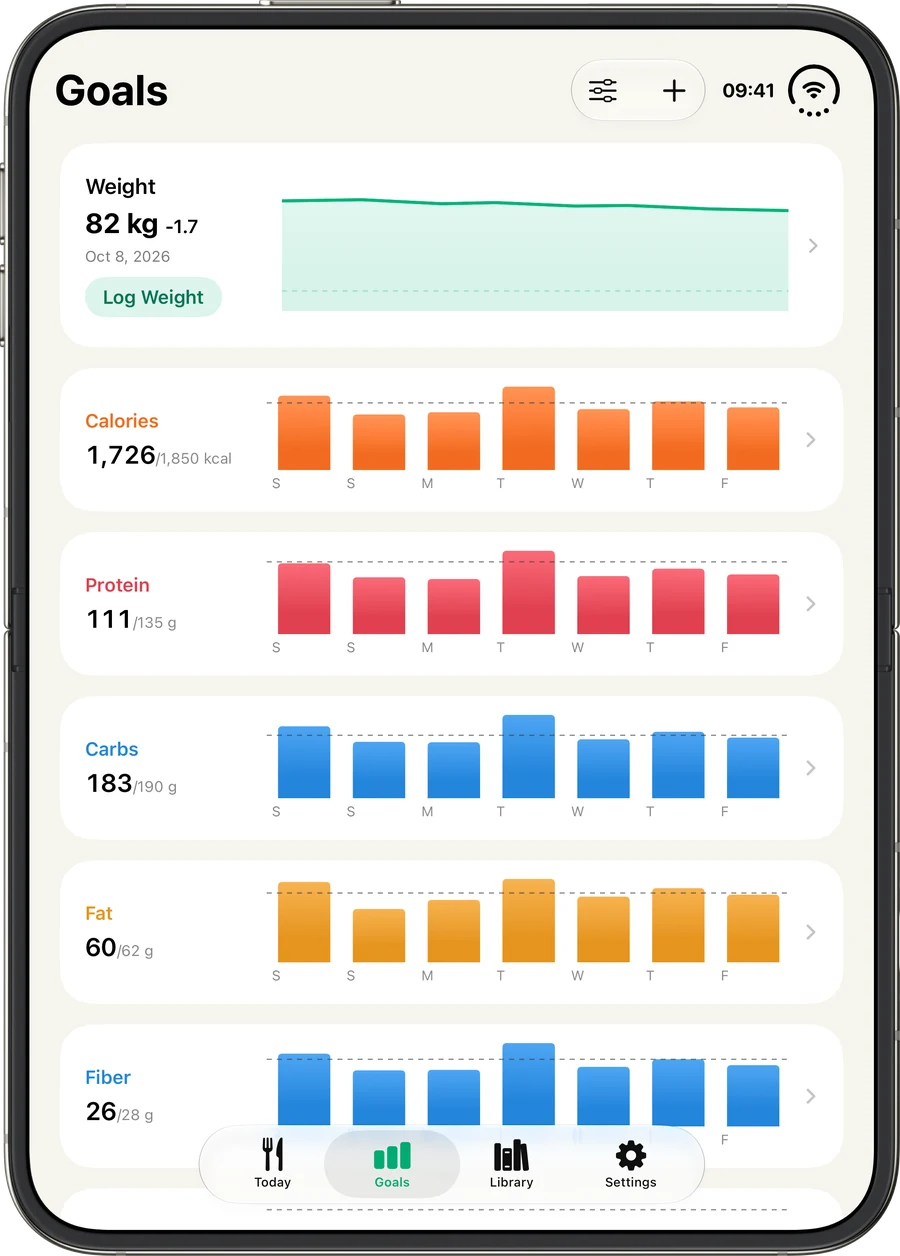
Track calories, protein, carbs and fat alongside water, weight and activity.
See your remaining calories and macro progress alongside the meals you’ve logged.
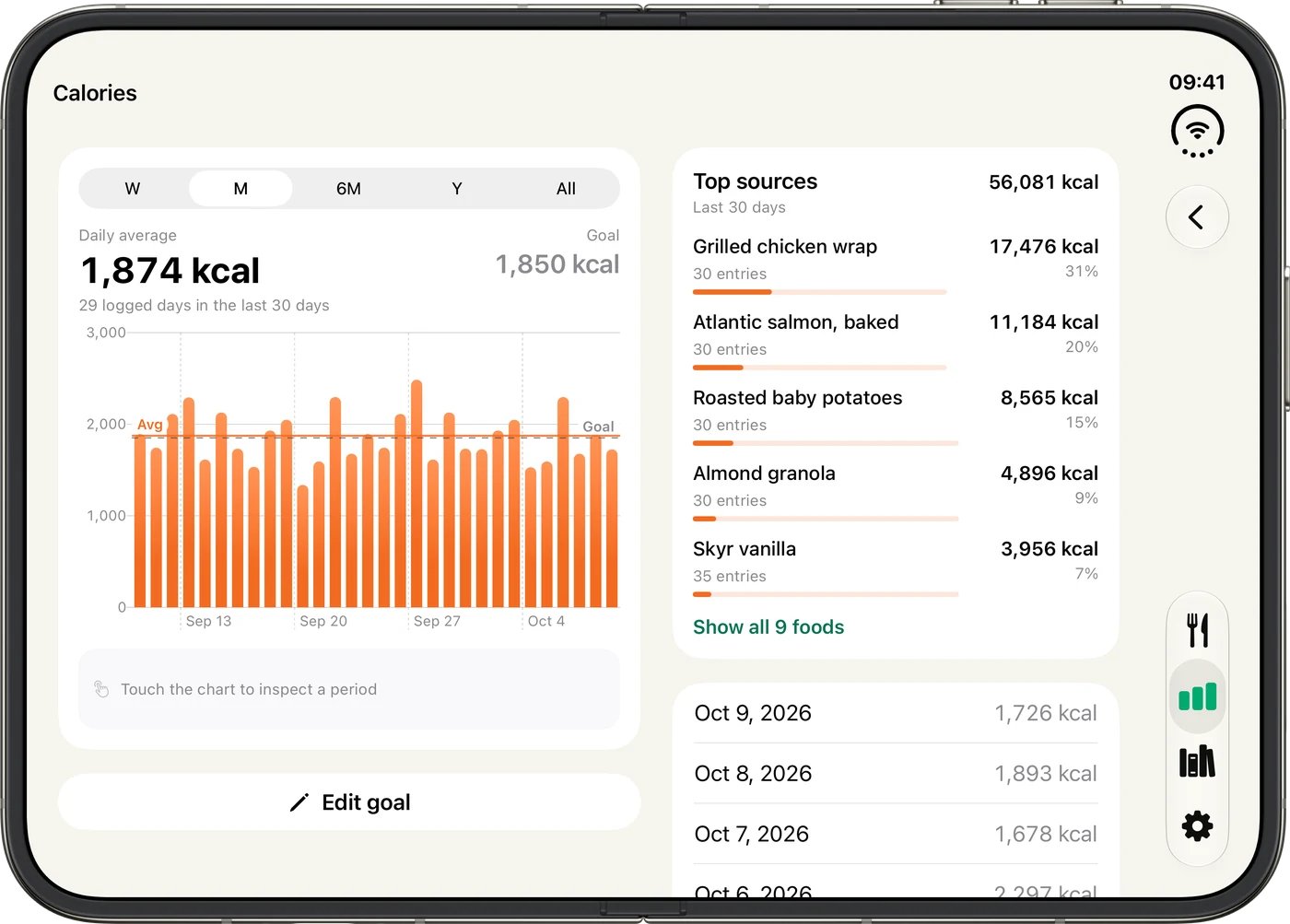
Past days keep their original targets. Explore charts and period averages as your goals change.
Calio Pro adds more nutrient goals and insights into which foods contribute most to your totals.
Add a food on the outer display, then unfold for more room. Turn it sideways and your totals sit beside your meals.
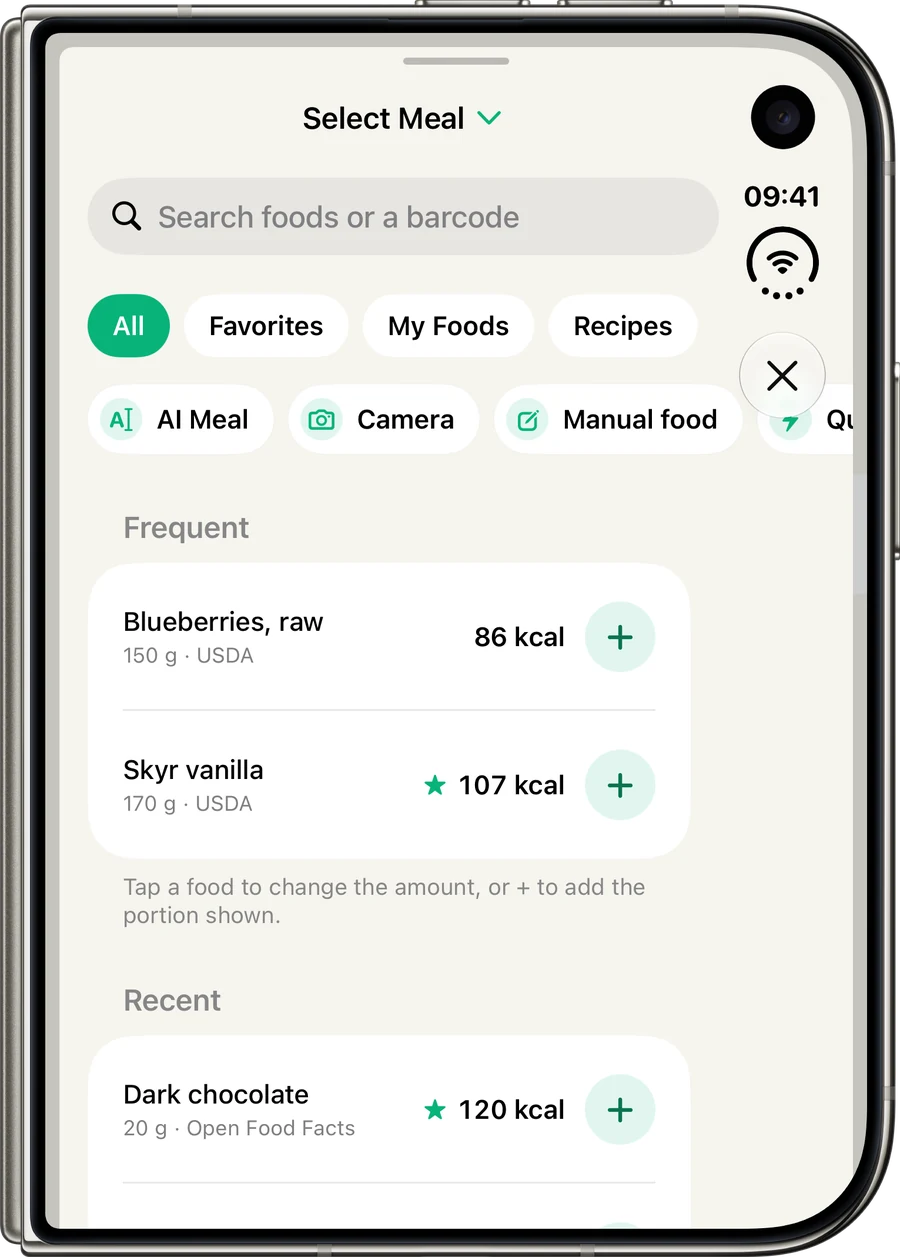
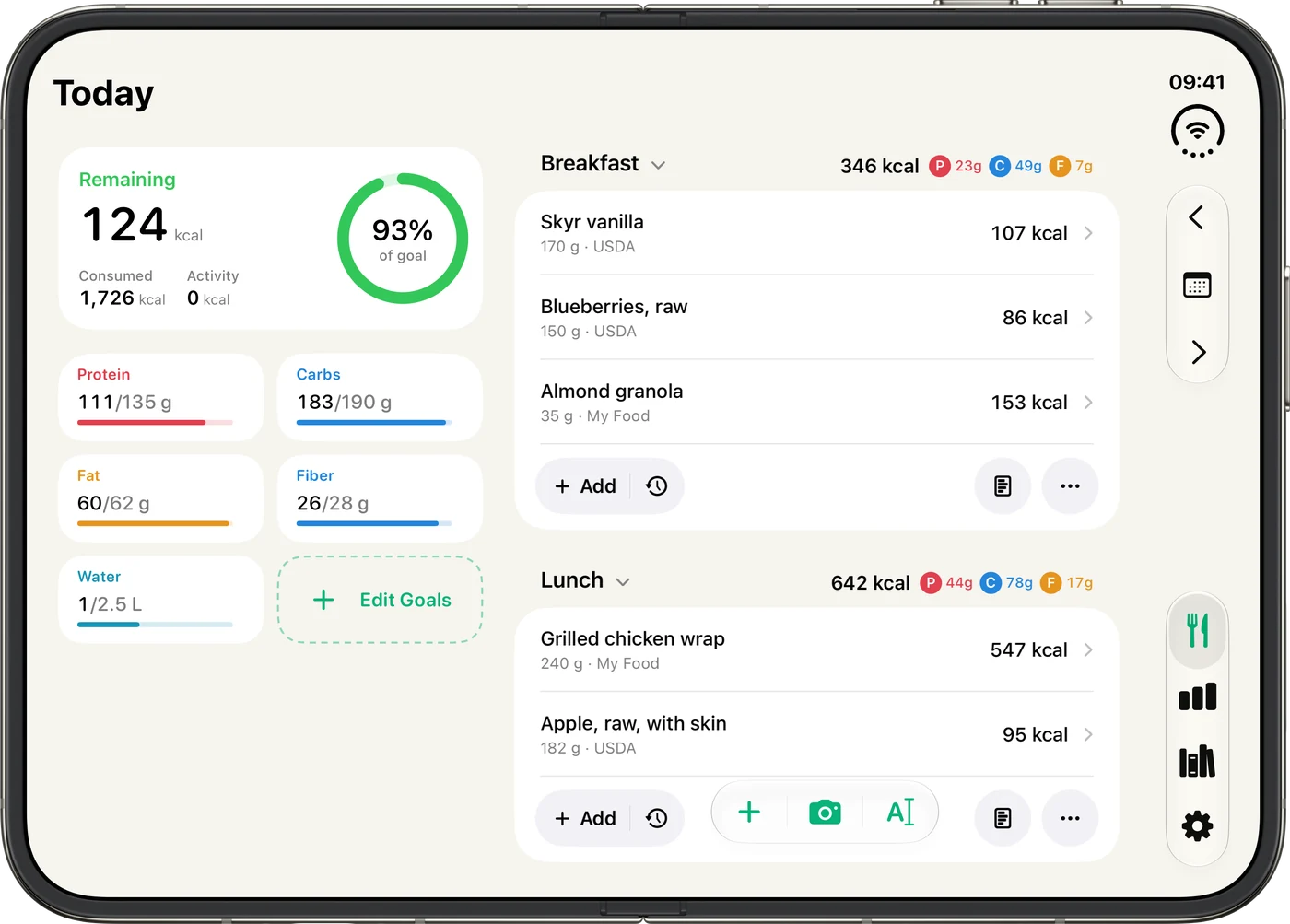
Search public food databases or your saved foods, favorites and recipes. Recent foods are grouped by meal for faster logging.
Keep favorites and recipes in your Library, and adjust serving sizes to match what you ate.
Barcode and nutrition-label scanning are free. A barcode finds the product; a label fills in a new food for you to review, even if the photo is sideways or at an angle.
Both are read on your device. Barcode and label photos are discarded.
Calories or kilojoules. Kilograms, pounds, or stones and pounds. Milliliters or fluid ounces. Nutrition labels in the formats used in the US, Canada, EU, UK, and Australia and New Zealand.
Sync across your Apple devices with iCloud. Connect with Apple Health and choose which data to share.
Check calories and macros, log water or add a weigh-in without taking out your phone.
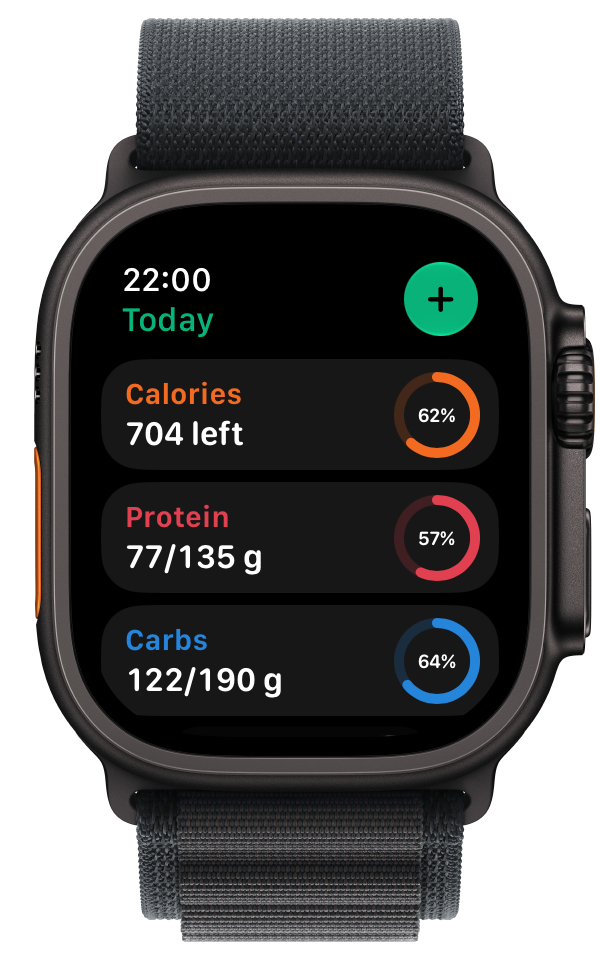
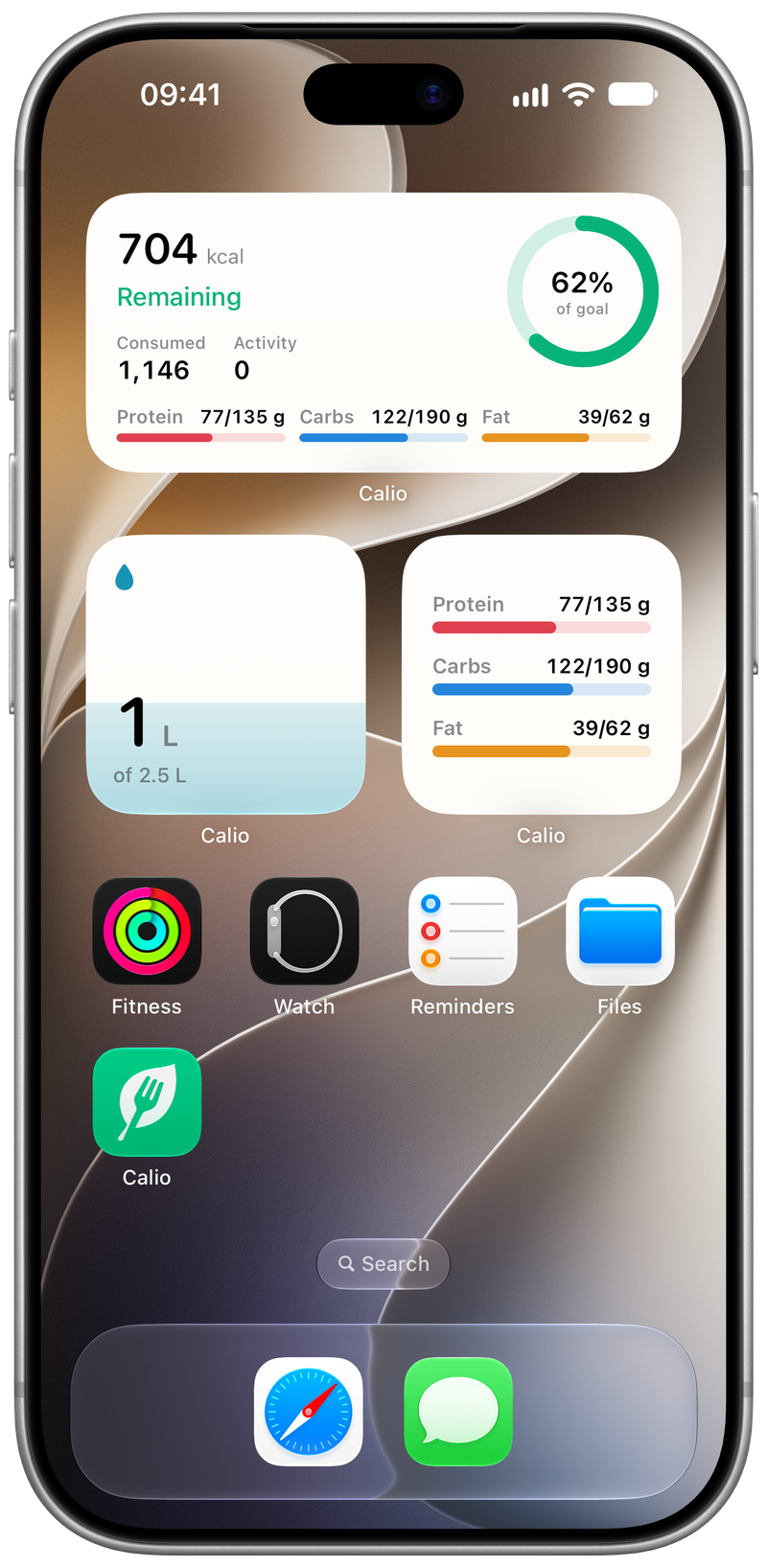
Calories, macros and water on your Home Screen. Log a drink from the water widget. Lock Screen widgets are available too.
Your whole day on a bigger screen, with your totals beside every meal. Log on iPad and pick up on iPhone.
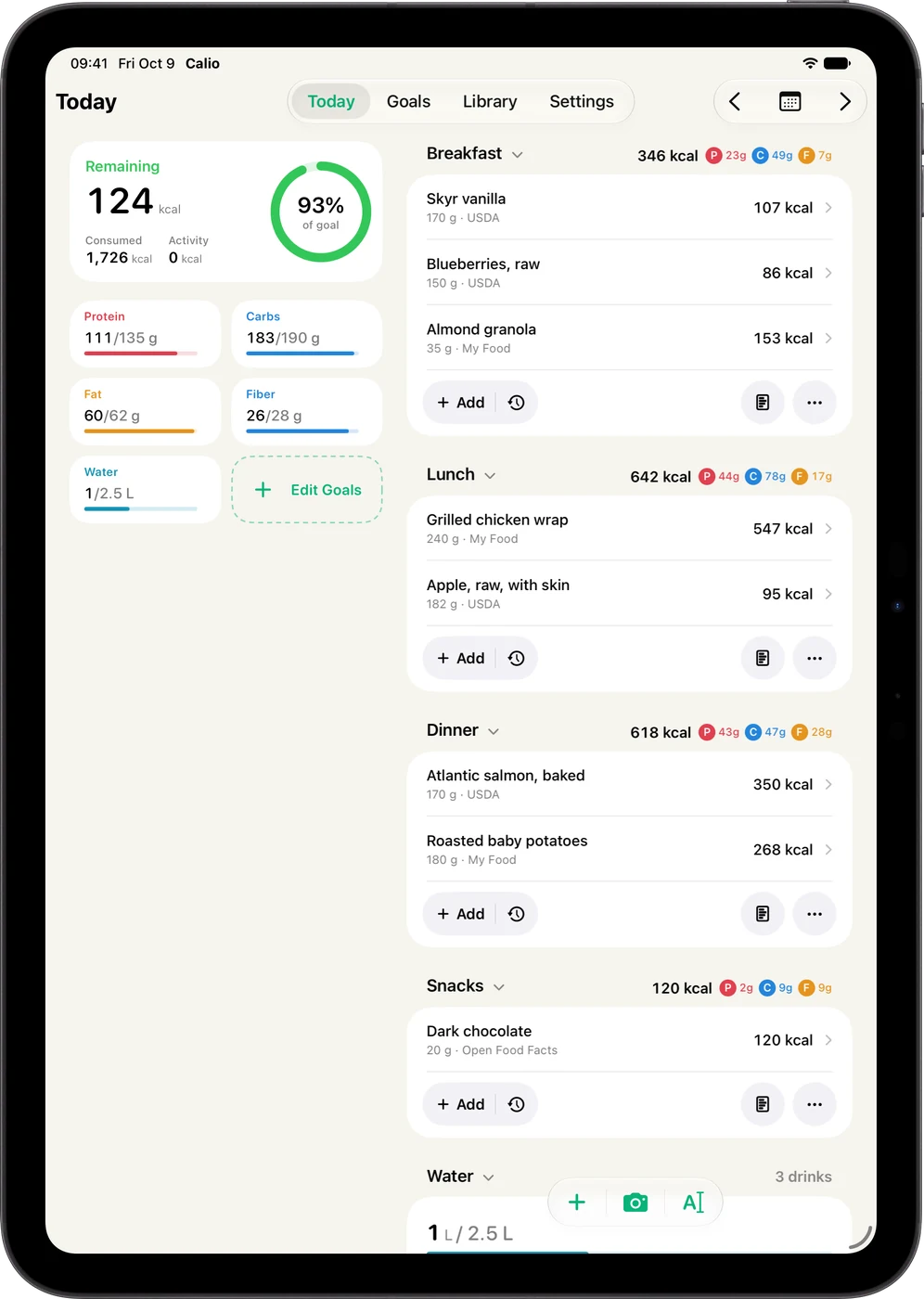
App screens shown with sample data on iOS 27, iPadOS 27 and watchOS 27.
Export your meals, nutrition and water as a report to share, a text summary or a CSV to open in a spreadsheet.
Export a single day free. Calio Pro adds multi-day exports in all three formats.
View an example export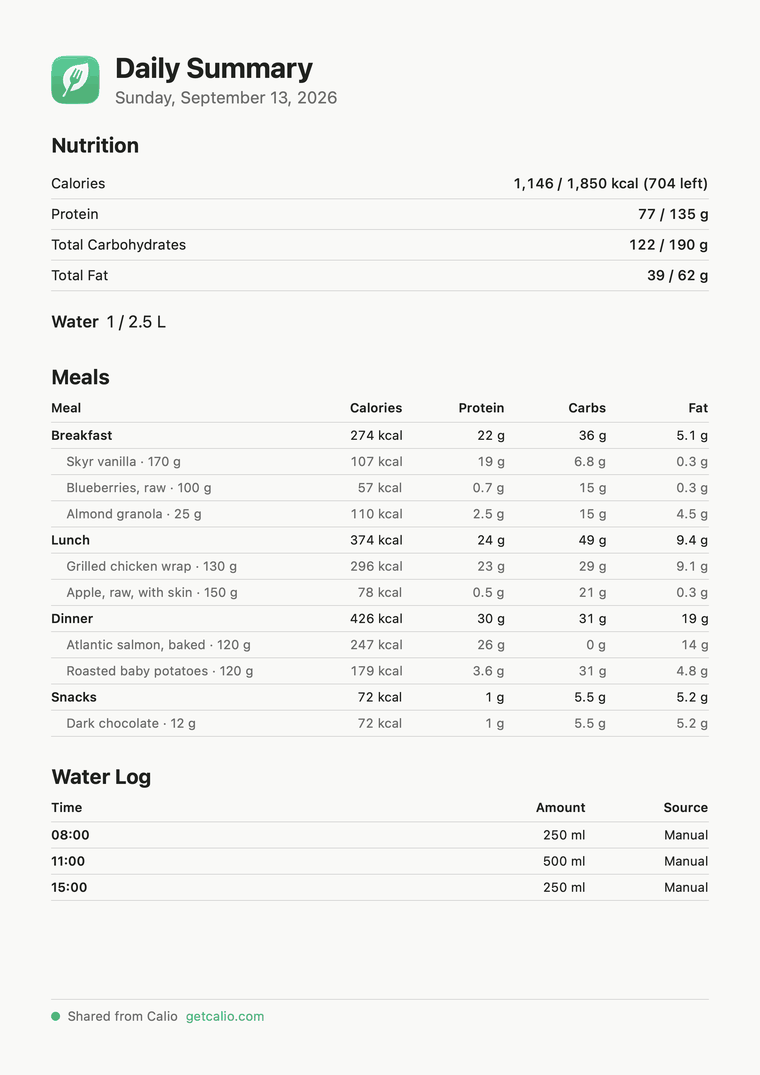
No account. No ads, analytics SDKs or trackers. Your saved diary lives on your devices and in your own private iCloud, which Calio cannot read.
Read the privacy policyBarcode and label photos are read locally and discarded. Food searches and barcode numbers go to the food service.
Your chat messages, meal photos and foods in that chat are sent through Calio’s service. Your saved diary, goals and Health data are not sent.
Choose what Calio reads from and writes to Apple Health. Data is shared only with your permission.
Core calorie and macro tracking stays free, including barcode and label scanning. Pro adds AI meal logging within fair-use limits, deeper insights and more ways to work with your diary.
Everyday tracking, scanning and your familiar foods.
More insight, more recipes and help logging your meals.
Need something else? Get in touch.
No. There is no Calio account or sign-up. Your diary is stored on your device, and syncs through your own private iCloud database when your device is signed in to iCloud.
Core tracking is free, including food, water, weight and workout logging, barcode and nutrition-label scanning, Apple Health, iCloud sync, widgets and the Apple Watch app. Three Calio AI chats are free. Calio Pro adds everyday AI meal logging within fair use, deeper nutrient goals, top-source insights, unlimited recipes and multi-day exports, and starts with a free trial.
Calio searches USDA FoodData Central and Open Food Facts, includes common foods, and lets you add your own foods and recipes. Packaging remains the best source when accuracy or allergens matter. Food Data & Sources
No Calio-operated server receives your diary. Food searches, barcode lookups, and Calio AI chats go to the food service. After you agree, Calio AI sends your messages, meal photos and foods in that chat through Calio’s service to OpenAI. The service does not store those messages or photos. Your saved diary, goals and Health data are not sent. When your device is signed in to iCloud, Apple stores synced records in your own private CloudKit database, which Calio cannot read.
Barcodes and nutrition labels are read on your device, and their photos are never saved. A barcode looks up a product in the food catalog. A nutrition label fills in a new food for you to check before saving, even when photographed sideways or at an angle. Both are free.
Describe a meal, add a photo or dictate what you ate. Calio AI suggests foods and portions, lets you refine them in a conversation, and shows the matches before you log. You can also ask it short, general questions about food. Nutrition comes from Calio’s food catalog; when nothing matches, an estimate is clearly labeled. Suggestions can be wrong, so review them before adding. AI is optional, requires your consent and an internet connection, and includes three free chats to try it.
With permission, Calio reads active energy, steps and workouts. It can write nutrition, water and weights that you choose to share. Health data is not sent to Calio’s food service.
Yes. Everyone can share or export one day at a time. Calio Pro can export any date range as PDF, text or CSV.
Track your first meal without creating an account. Core calorie and macro tracking is free.